Filter and Search
Putting the data in. The best place to start is how do you want to get the data out.
Floors – breakdown into
- LVT Glue
- LVT Click
- Laminate
- Real Wood
- Accessories
- AMTICO – which cannot be sold online.
The floors have attributes
- Colour
- Thickness
- Style
Brand is configured in WooCommerce as a different section but works very similar to attributes.
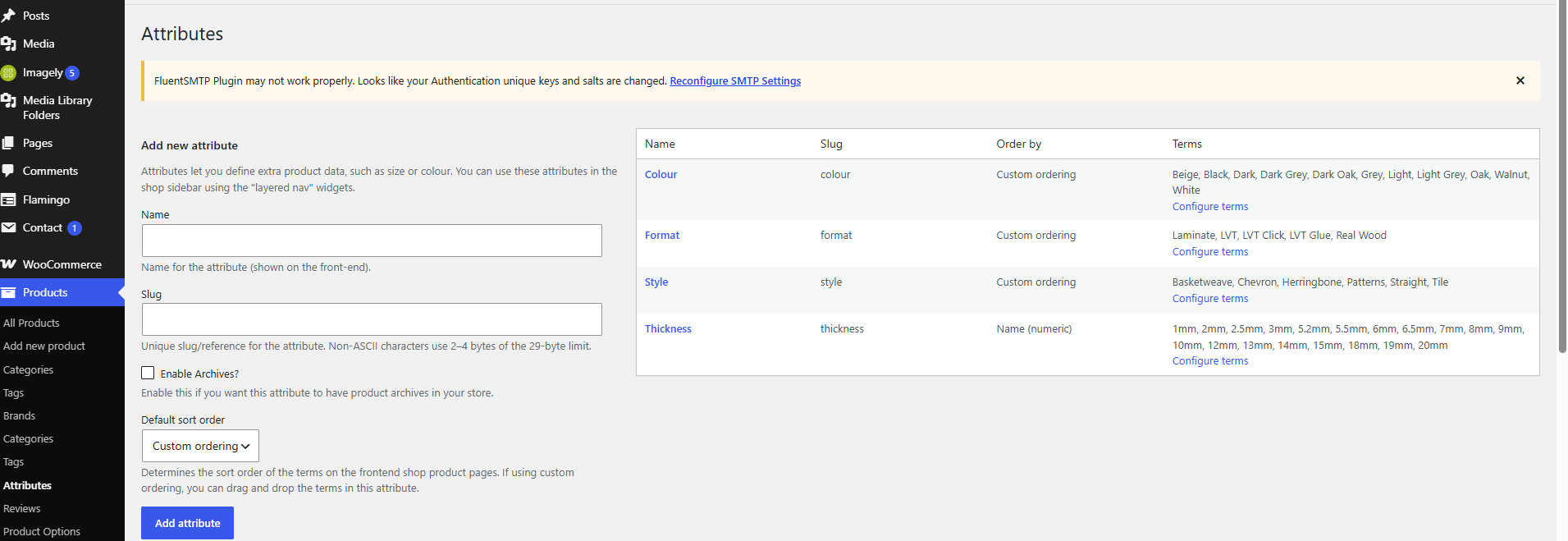
Notes on Attributes
These are stored in away which makes pulling them out of the database quicker than free text.
All the black flooring is already in a group in the database ready to be pulled out. Free text takes a lot longer to be sorted as the server has to examine everything rather than regurgitate what it is already stored.
Colour
Beige, Black, Dark, Dark Grey, Dark Oak, Grey, Light, Light Grey, Oak, Walnut, White
Format
Laminate, LVT, LVT Click, LVT Glue, Real Wood
Style
Basketweave, Chevron, Herringbone, Patterns, Straight, Tile
Thickness
1mm, 2mm, 2.5mm, 3mm, 5.2mm, 5.5mm, 6mm, 6.5mm, 7mm, 8mm, 9mm, 10mm, 12mm, 13mm, 14mm, 15mm, 18mm, 19mm, 20mm
Attributes are added by picking them from the choice.
If Attributes are not being filtered “correctly” there are two sources of the issue.
- They have not been flagged correctly when input
- They are not being pulled out correctly
To fix the first try duplicating something which is working and see what happens.
If something is not being pulled out correctly it could be the Query is not set up correctly.